
Friday, March 14, 2014
Making a new part from scratch
Today, I decided to test out my SolidWorks knowledge by making a part, using only the measurements. At first, the cut at a 45° was confusing, but then I realized i just had to make the extrusion from another plane and it was easy after that.

Monday, March 10, 2014
Weldment complete
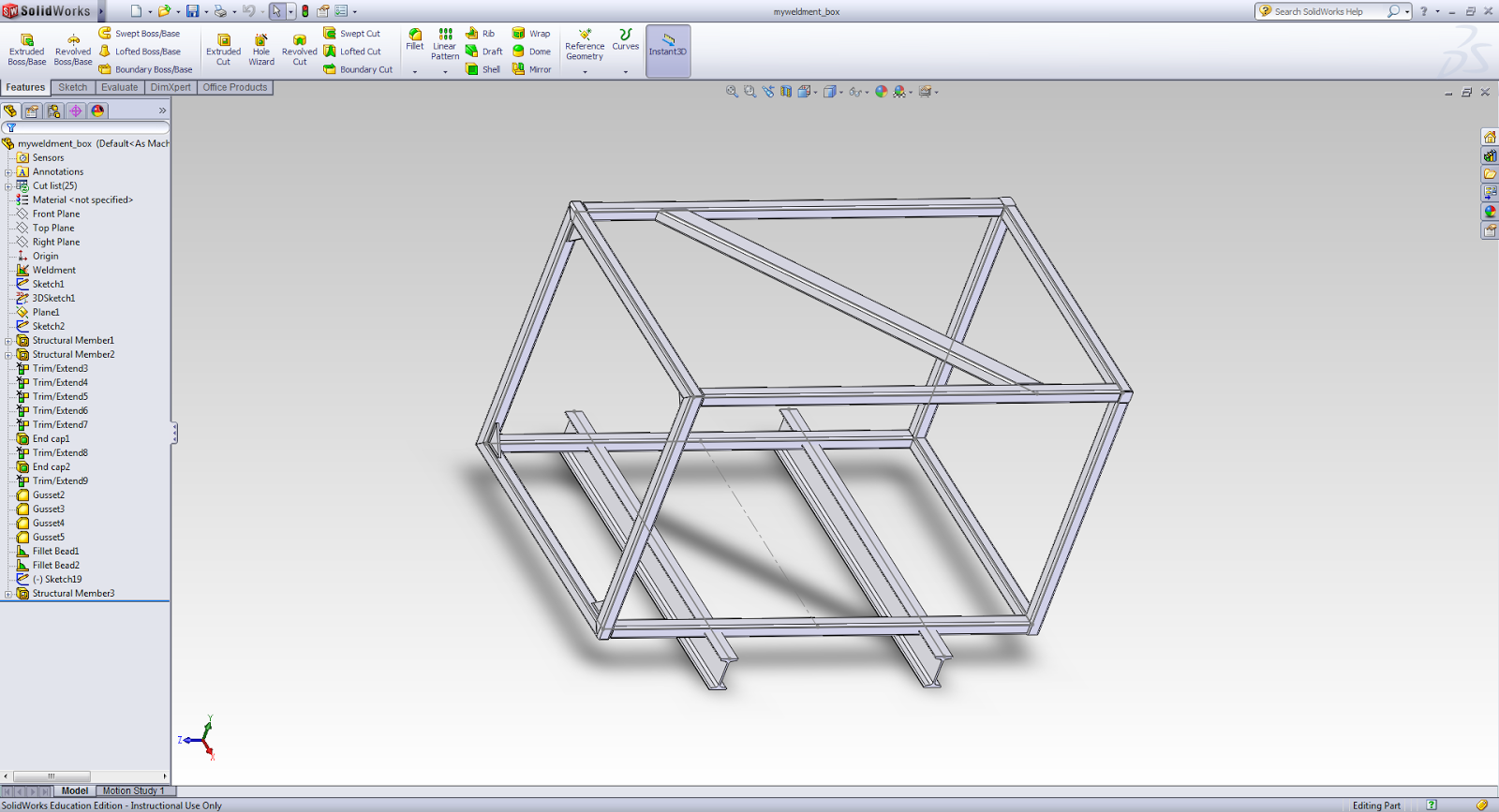
At last, the weldment is completely done. The main structure of this box is square tubing. There was a lot of cutting and trimming since most of the time, the tubing either intersected or did not reach out far enough. Then gussets were added to help to support the structure of the box. Gussets are very important to many designs, such as bridges. On August 1st, 2007, The 1-35W Mississippi River bridge that carried 140,000 people a day in Minneapolis, Minnesota, collasped because of 16 underdesigned gussets.
Friday, March 7, 2014
Weldment progress
This tutorial was perhaps the longest one i have ever done, including some confusion and a lot of new features. Gusset was something i had never known about, and had no clue what it was. However, now i have an idea of what it is and a decent understanding of how to use it. This tutorial is not completely finished, but it should be done soon.

Monday, March 3, 2014
Weldment
This week I have began working on a weldment tutorial, which begins with just the outline of a box. Next the weldments will be added on and fixed.

Friday, February 28, 2014
Searching for how to measure mass
After searching for a while on how to measure mass, I heard of a function on SolidWorks cause MassPROP (Mass Properties). It was tough to find it, but after looking for a little while it turned out to be right in front of my eyes. Just going to Tools, it was one of the many choices.


Friday, February 14, 2014
Multibody Parts
This tutorial had three different quick tutorials. The first one was Body Intersection, which involves combining two bodies and shedding the overlapping parts.


In the second tutorial, the goal was first to merge two bodies into one solid body. After making the first part, which connected the two bodies together, the next goal is to make copies of it at equal lengths. To do this, the sweep feature was used.
In the final tutorial, the goal is to make a connecting piece between the two cups. First, the cups had to be shelled, and next extrude command was used. Next, a few fillets were added and the connecting piece was completed.
Friday, February 7, 2014
Pattern Features
In the most recent SolidWorks tutorial I have been working on, the main features that I learned were creating a linear pattern and how to create a circular pattern.

Subscribe to:
Posts (Atom)